Google Cloud Computing
Expertise in Google Cloud Computing Program with 100% Assistance at Your Fingertips
- Out-of-the-box interactive online and classroom training.
- Practical exposure to hands-on projects in Google Cloud.
- Assisted and guaranteed placements.
- In-depth understanding of Google Cloud Console, Cloud Shell, Compute Engine, Cloud Storage, and more.

World-Class Instructors

1:1 with Industry Mentors

55% Avg. Salary Hike
Interview Preparation
Google Cloud Computing Course in Bangalore
Get well-versed with cloud computing with Techpragna’s Google Cloud Computing course in Bangalore, which equips you with usage in varied industries. Our training program is designed to equip students with a well-defined set of 30+ real-world cloud labs to deploy scalable applications and automate cloud operations.
Prominent Features – GCP Certifications
- Experimental and applied learning
- Mastery over core and advanced GCP services
- Coverage of essential tools – Compute Engine, Cloud Storage, Kubernetes Engine, etc.
- Practical understanding of Kubernetes and containerized applications.
- Build knowledge of essential cloud administration tools.
- Learn IAC with Terraform and Google Cloud Deployment Manager
- Hands-on learning and experience working on real-world assignments.
- Industry-ready in IAC, Docker, Kubernetes, CI/CD pipelines, GIT, etc.
- Introduction to cloud security, networking, and resource management.
- Introduction to cloud security
Request more information
Program Curriculum – Google Cloud
Module 1: Introduction to Cloud Computing & Google Cloud Platform
Introduction to Cloud Computing
- Cloud Service Models (IaaS, PaaS, SaaS)
- Public, Private, and Hybrid Cloud
- Overview of Google Cloud Platform (GCP)
- Creating a Google Cloud Account
- Navigating the Google Cloud Console
- Mini Task: Create a GCP account and explore the Cloud Console
Module 2: Google Cloud Fundamentals
- Projects, Organizations, and Billing
- Resource Hierarchy
- Google Cloud Regions and Zones
- Cloud Shell and Cloud SDK
- Managing Resources using Console and CLI
- Mini Task: Create and manage GCP projects using Cloud Shell
Module 3: Identity and Access Management (IAM)
- Introduction to IAM
- Users, Roles, and Permissions
- Service Accounts
- IAM Best Practices
- Resource-Level Access Control
- Mini Task: Configure IAM roles for multiple users
Module 4: Compute Engine
- Virtual Machines (VMs)
- Machine Types and Images
- Persistent Disks
- Snapshots and Instance Templates
- Startup Scripts
- Mini Task: Launch and configure a virtual machine
Module 5: Google Cloud Storage
- Cloud Storage Concepts
- Storage Classes
- Buckets and Objects
- Lifecycle Management
- Versioning and Object Management
- Mini Task: Create and manage Cloud Storage buckets
Module 6: Networking in Google Cloud
- Virtual Private Cloud (VPC)
- Subnets
- Firewall Rules
- Routes
- External and Internal IP Addresses
- Cloud Load Balancing
- Mini Task: Build a custom VPC network
Module 7: Cloud Databases
- Cloud SQL
- Firestore
- Bigtable Overview
- Spanner Overview
- Database Connectivity
- Backup and Restore
- Mini Task: Deploy a Cloud SQL database and connect an application
Module 8: Containers and Kubernetes
- Introduction to Containers
- Docker Fundamentals
- Google Kubernetes Engine (GKE)
- Deploying Containerized Applications
- Scaling and Updates
- Mini Task: Deploy an application on GKE
Module 9: Serverless Computing
- Cloud Functions
- Cloud Run
- Event-Driven Applications
- API Deployment
- Serverless Best Practices
- Mini Task: Deploy a serverless application using Cloud Run
Module 10: Infrastructure as Code & Automation
- Infrastructure as Code (IaC)
- Terraform Fundamentals
- Google Cloud Deployment Manager
- Resource Automation
- Cloud Scheduler
- Mini Task: Provision cloud infrastructure using Terraform
Module 11: Monitoring, Logging & Operations
- Cloud Monitoring
- Cloud Logging
- Alerting Policies
- Performance Monitoring
- Error Reporting
- Operational Best Practices
- Mini Task: Configure monitoring dashboards and alerts
Module 12: Cloud Security
- Google Cloud Security Fundamentals
- Identity-Aware Proxy (IAP)
- Secret Manager
- Key Management Service (KMS)
- Security Best Practices
- Compliance Overview
- Mini Task: Secure cloud resources using IAM and KMS
Module 13: Big Data & AI Services
- Introduction to BigQuery
- Data Analytics Fundamentals
- Vertex AI Overview
- Cloud AI APIs
- Data Processing Basics
- Mini Task: Analyze datasets using BigQuery
Module 14: Cloud Architecture & Cost Optimization
- Google Cloud Architecture Framework
- High Availability and Scalability
- Disaster Recovery
- Cost Management Tools
- Billing Reports and Budgets
- Architecture Best Practices
- Mini Task: Design a highly available cloud architecture
Module 15: Capstone Project, Git & Career Preparation
- Real-World Cloud Project
- Git and GitHub Best Practices
- Cloud Deployment Strategies
- Google Cloud Certification Guidance
- Resume Building and Interview Preparation
- Mock Technical Interviews
- Final Project: Design, deploy, secure, and monitor a production-ready application on Google Cloud using Compute Engine, Cloud Storage, Cloud SQL, Kubernetes, IAM, and CI/CD pipelines.
Master In-Demand Skills with Practical, Industry-Based Learning
Career Scope for GCP Certifications
Generally, candidates or professionals with GCP certification primarily design, deploy, manage, and optimize cloud-based infrastructure and applications. These professionals are categorized into different roles based on their specializations, assisting organizations in achieving secure, scalable cloud solutions at lower cost.
Google Cloud Engineer
Builds, Designs, Deploys, Configures, and manages a Google Cloud environment for better scalability and performance.
Cloud Administrator
Performs 2 M’s, i.e., monitor and manage Google Cloud resources. Additionally, they configure virtual machines, storage, and networking to ensure a seamless cloud infrastructure.
Cloud Solutions Architect
Builds customized cloud architectures that create solutions for catering to business and technical requirements.
DevOps Engineer
Leverages application deployment tools such as Terraform, along with automation, incident management, and infrastructure optimization.
Site Reliability Engineer
Detects and troubleshoots system issues to improve system reliability, availability, and performance through monitoring, automation, and infrastructure optimization.
Cloud Data Engineer
Creates, manages, and maintains scalable data pipelines, warehouses, and analytics solutions, leveraging BigQuery, Cloud Storage, and Dataflow.
Skills Covered
Cloud Deployment
Infrastructure as Code
AWS/Azure/GCP CLI
Automation Scripting
Cost Optimization
Containerization
IAM
Technical Documentation
Disaster Recovery
Multi-Cloud Governance
Accelerating Career Services in Google Cloud


Career Guidance

Expert Mentorship
Interview Preparation
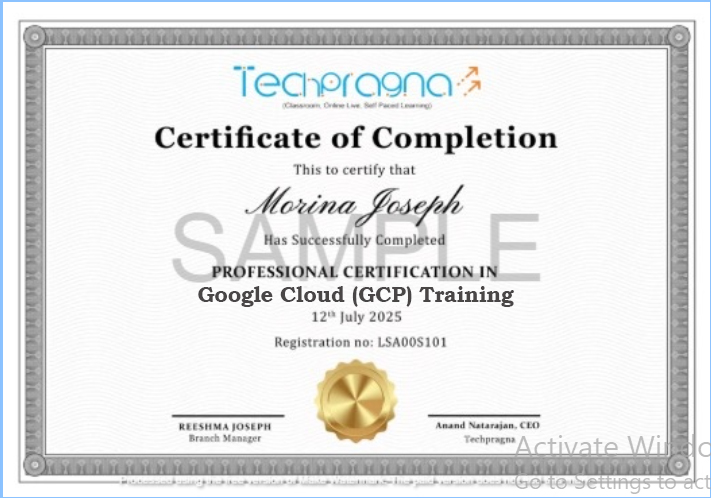
Certification Support

Resume Building

Job Assistance
How our program works
Practical. Industry-Ready. Career-Driven.
- Learn Google Cloud fundamentals and core services through expert-led training sessions.
- Gain hands-on experience with real-world and industry-based projects.
- Build job-ready cloud solutions on the Google Cloud Platform.
- Work on case studies and capstone projects to strengthen your problem-solving skills.
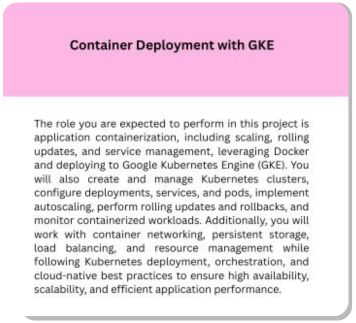
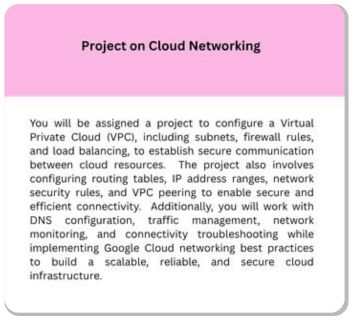
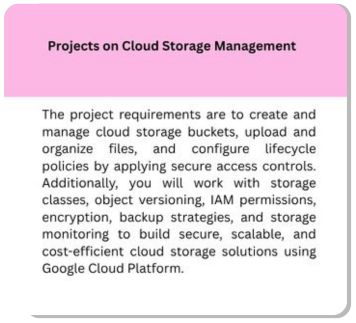
Google Cloud Projects Covered
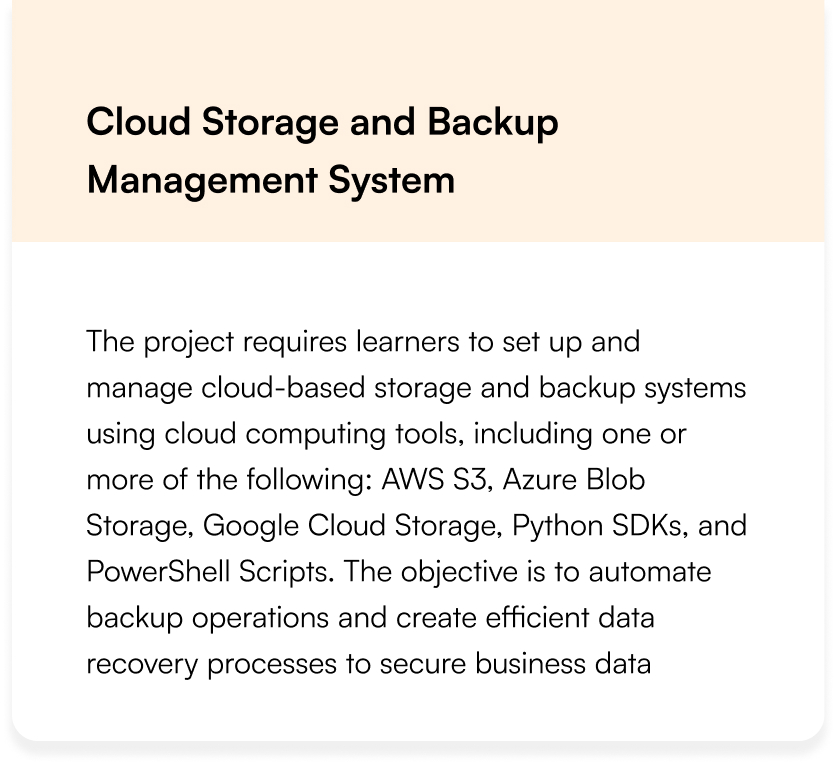
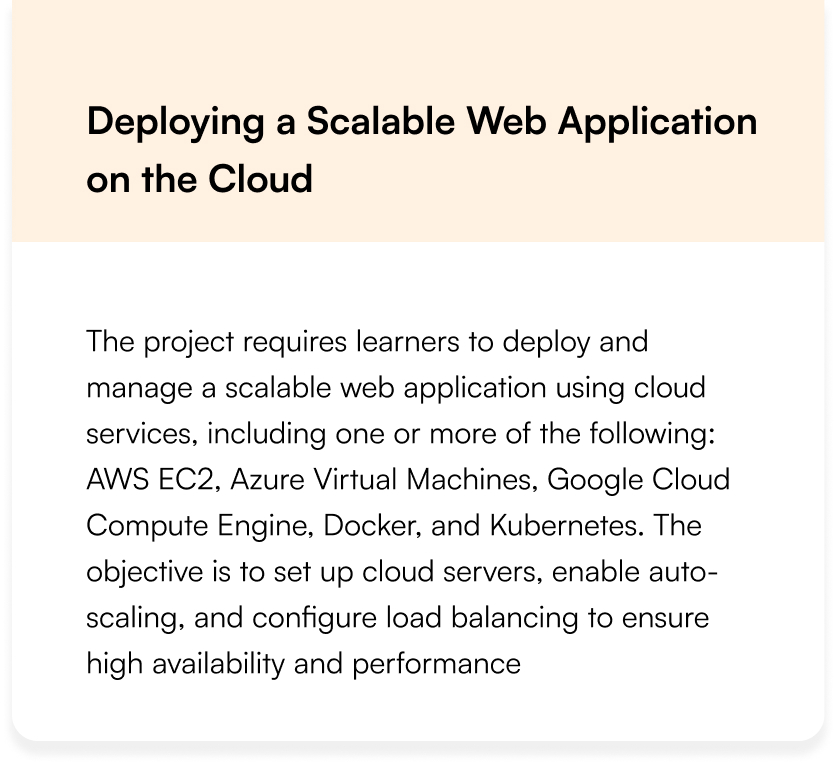
Cloud Computing Projects Covered
Land Your Dream Job Our Alumni
What You’ll Learn Learn
Accelerate your career in cloud computing with our Cloud Computing Training at Tech Pragna in Bangalore. This comprehensive course equips you with the skills and techniques to design, deploy, and manage cloud infrastructure—perfect for both beginners and working professionals
Cloud Computing Training – Key Features
- AWS, Microsoft Azure, Google Cloud, Docker, Kubernetes, and Terraform
- Cloud deployment, configuration, security, virtualization, and performance optimization
- Hands-On Projects: Work on real-world cloud scenarios and practical implementations
- Understand cloud services like EC2, S3, RDS, Lambda, Load Balancers, and VPCs
- Live online and offline interactive sessions from top industry professionals
- Guaranteed placement support through our career advancement services
Request more information
Cloud Computing Course Curriculum
Module 1: Introduction to Cloud Computing
What is Cloud Computing? Evolution and Benefits
Cloud Service Models (IaaS, PaaS, SaaS, FaaS)
Deployment Models (Public, Private, Hybrid, Multi-Cloud)
Key Cloud Providers (AWS, Azure, GCP) and Their Market Share
Cloud Computing Use Cases Across Industries
Cloud Economics (CAPEX vs. OPEX, TCO)
Career Paths (Cloud Architect, DevOps Engineer, Solutions Architect)
Hands-on: Creating a Free Tier Account on AWS/Azure/GCP
Module 2: Cloud Infrastructure & Virtualization
Virtualization Basics (Hypervisors: Type 1 vs. Type 2)
Compute Resources (VMs, Containers, Serverless)
Storage Options (Block, Object, File Storage)
Networking in Cloud (VPC, Subnets, Load Balancers)
Cloud Security Fundamentals (Shared Responsibility Model)
Hands-on: Launching a VM on AWS EC2 / Azure VM
Lab: Configuring Network Security Groups (NSGs)
Case Study: Netflix’s Cloud Migration
Module 3: Cloud Storage & Databases
Cloud Storage Services (AWS S3, Azure Blob, GCP Cloud Storage)
Database Types (RDBMS vs. NoSQL vs. NewSQL)
Managed DB Services (AWS RDS, Azure SQL, GCP Cloud SQL)
Big Data Solutions (AWS Redshift, Azure Synapse, GCP BigQuery)
Data Migration Strategies (AWS DMS, Azure Data Factory)
Hands-on: Uploading Data to S3 and Setting Up an RDS Instance
Lab: Implementing a Serverless Database (AWS DynamoDB)
Disaster Recovery and Backup Solutions
Module 4: Identity & Access Management (IAM)
IAM Fundamentals (Users, Groups, Roles, Policies)
Multi-Factor Authentication (MFA)
Federated Identity (SAML, OAuth, OpenID Connect)
Privileged Access Management (PAM)
Hands-on: Configuring IAM Policies on AWS/Azure
Lab: Setting Up SSO with Azure AD / AWS SSO
Audit and Compliance (AWS CloudTrail, Azure Monitor)
Case Study: Capital One Data Breach Lessons
Module 5: Cloud Networking & Content Delivery
Virtual Private Cloud (VPC) Architecture
Cloud DNS and Load Balancing (ALB, NLB, CDN)
Hybrid Cloud Connectivity (VPN, Direct Connect, ExpressRoute)
Network Security (NACLs, Firewalls, WAF)
Hands-on: Building a Multi-Tier Architecture in AWS/Azure
Lab: Configuring a CDN (AWS CloudFront / Azure CDN)
Monitoring Network Performance (CloudWatch, Azure Network Watcher)
Case Study: How Spotify Uses Cloud Networking
Module 6: Cloud Security & Compliance
Shared Responsibility Model Deep Dive
Data Encryption (At Rest, In Transit, In Use)
Security Tools (AWS GuardDuty, Azure Security Center)
Compliance Standards (GDPR, HIPAA, SOC 2)
Hands-on: Encrypting S3 Buckets and EBS Volumes
Lab: Implementing a Cloud HSM (AWS KMS / Azure Key Vault)
Penetration Testing in Cloud (AWS Inspector, Azure Pentest)
Case Study: SolarWinds Attack and Cloud Implications
Module 7: DevOps & Cloud Automation
Infrastructure as Code (IaC) with Terraform/AWS CDK
CI/CD Pipelines (AWS CodePipeline, Azure DevOps)
Configuration Management (Ansible, Chef, Puppet)
Container Orchestration (Kubernetes vs. ECS vs. AKS)
Hands-on: Deploying Apps with Terraform
Lab: Building a CI/CD Pipeline for a Web App
Monitoring and Logging (CloudWatch, Azure Log Analytics)
Case Study: How Airbnb Uses Cloud Automation
Module 8: Serverless Computing
Serverless Architecture (AWS Lambda, Azure Functions)
Event-Driven Patterns (SQS, SNS, EventBridge)
Microservices vs. Monoliths in Cloud
Hands-on: Creating a Serverless API (API Gateway + Lambda)
Lab: Building a Chatbot with Serverless (AWS Lex)
Cost Optimization in Serverless
Debugging and Monitoring Serverless Apps
Case Study: How Coca-Cola Uses Serverless
Module 9: Cloud Migration & Hybrid Cloud
- Migration Strategies (Rehost, Refactor, Rearchitect)
- Tools (AWS Migration Hub, Azure Migrate)
- Legacy System Modernization
- Hands-on: Migrating an On-Prem VM to Cloud
- Lab: Setting Up a Hybrid Connection (AWS Outposts / Azure Stack)
- Cost Analysis and Optimization (AWS Cost Explorer, Azure Cost Mgmt)
- Case Study: Dropbox’s Cloud Exit (Lessons Learned)
- Future Trends (Edge Computing, Quantum Cloud)
Module 10: Big Data & AI in Cloud
Big Data Services (AWS EMR, Azure HDInsight)
Machine Learning in Cloud (AWS SageMaker, Azure ML)
AI Services (Rekognition, Cognitive Services)
Hands-on: Training an ML Model on Cloud
Lab: Building a Data Pipeline (AWS Glue / Azure Data Factory)
IoT and Cloud Integration (AWS IoT Core, Azure IoT Hub)
Case Study: How Tesla Uses Cloud AI
Ethics in Cloud AI
Module 11: Advanced Cloud Architectures
Multi-Cloud Strategies (Anthos, AWS Outposts)
High Availability (HA) and Fault Tolerance
Disaster Recovery (Pilot Light, Warm Standby)
Hands-on: Designing a Multi-Region Architecture
Lab: Auto-Scaling and Load Testing
Cloud-Native Design Patterns
Case Study: Netflix’s Chaos Engineering
Preparing for Cloud Certifications (AWS/Azure/GCP)
Module 12: Capstone Project & Career Prep
Real-World Cloud Project (Migration, SaaS App Deployment)
Building a Cloud Portfolio (GitHub, Blog)
Resume Tips for Cloud Roles
Mock Interviews (Scenario-Based Questions)
Certifications Roadmap (AWS/Azure/GCP)
Freelancing vs. Corporate Cloud Careers
Cloud Communities and Open Source Contributions
Final Presentation: Architecting a Cloud Solution
Career Services
Placement Assistance
Personalized Guidance
Mock Interview Preparation
One-on-One Mentoring session
Career Oriented Seesions
Resume & LinkedIn Profile Building
Land Your Dream Job Our Alumni
FAQs on Google Cloud Computing Training
What are the tools you will cover in GCP Certification?
In GCP Certification, we cover all essential and powerful tools. For more information, refer to https://techpragna.in/google-cloud-gcp/
How do I practice Google Cloud Computing to develop skills?
You can practice and develop Google Cloud Computing Skills with the help of
- Labs
- Real-World Projects
- Sandbox Environments
- Instructor-led and guided assignments
What is the difference between Cloud Computing and Google Cloud Computing?
Cloud Computing refers to a technology that delivers computing services, whereas Google Cloud Computing offers the platform to render cloud services through its own infrastructure tools and managed solutions.
What are the programming languages covered in Google Cloud?
The programming languages covered in Google Cloud are: Python, Bash, Terraform, IaC, YAML/Json, Java, C#, etc.
What are the training modes available?
The training modes available are classroom and virtual – offline and online.
What is the toughest part of grasping Google Cloud Computing?
The toughest part of grasping Google Cloud Computing is GCP Services, Security, and Cost Control. However, when you work on real-world projects, you will develop a flair for them.
Cloud Computing Training FAQs
What tools will I use in cloud computing?
Answer:
Infrastructure as Code (IaC): Terraform, AWS CloudFormation.
Containers: Docker, Kubernetes.
CI/CD: Jenkins, GitHub Actions.
Monitoring: AWS CloudWatch, Azure Monitor
How do I practice cloud skills?
Answer:
Free tiers: AWS Free Tier, Azure $200 credit.
Labs: Qwiklabs, Cloud Academy.
Projects: Deploy a website, build a serverless app.
What’s the difference between DevOps and cloud computing?
Answer:
Cloud Computing: Focuses on delivering services (storage, VMs, databases).
DevOps: Uses cloud tools to automate software delivery (CI/CD, IaC)
What programming languages are useful for cloud?
Automation: Python, Bash.
Infrastructure: Terraform (HCL), YAML/JSON.
DevOps: Go, Ruby (for scripting).
Do you provide placement assistance?
Yes, many programs offer placement support, interview preparation, and resume building services
Is this course available online or offline?
Tech Pragna are offered in both online and offline
What’s the hardest part of learning cloud computing?
Complexity: Managing multi-cloud environments.
Security: Understanding shared responsibility models.
Cost control: Avoiding unexpected cloud bills.
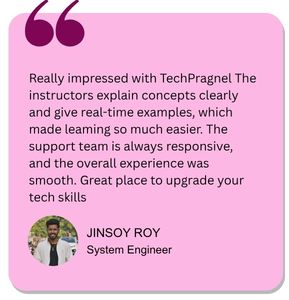
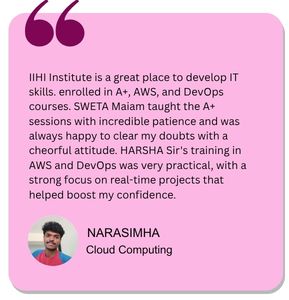
What Our Learners Have To Say
Explore the Latest Trending Courses

Software Testing
- Online/Offline
- 6 Months
- Professional Level Certification
- Projects and Case Study
Data Science
- Online/Offline
- 6 Months
- Professional Level Certification
- Projects and Case Study

Network Engineering
- Online/Offline
- 6 Months
- Professional Level Certification
- Projects and Case Study

Cyber Security
- Online/Offline
- 6 Months
- Professional Level Certification
- Projects and Case Study