Professional Certificate in UI/UX Design Training
Master UI/UX Design Skills with Hands-On Real Projects
- Wireframing, Prototyping, User Research, Interaction Design, Usability Testing, Design Systems, UI Principles, and Figma Mastery
- Live online and offline interactive sessions from top industry professionals
- Guaranteed placement support through our career advancement services
- Understand user journey mapping, interface design, product usability, accessibility standards, and design thinking processes

World-Class Instructors

1:1 with Industry Mentors

55% Avg. Salary Hike

Interview Preparation
World-Class Instructors
1:1 with Industry Mentors
55% Avg. Salary Hike
Interview Preparation
What You’ll Learn Learn
Accelerate your career in design with our UI/UX Design Training at TechPragna in BTM Layout and Jayanagar, Bangalore.
This comprehensive program equips you with industry-leading tools and techniques in Figma, Adobe XD, User Research, Wireframing, Prototyping, and Usability Testing to create intuitive digital experiences, enhance user satisfaction, and build a strong design portfolio — perfect for both beginners and working professionals.
Advanced UI/UX Design Training – Key Features
- Master Essential Tools: Figma, Adobe XD, Sketch, InVision, Miro, and Zeplin
- Engaging online and offline interactive sessions led by top UI/UX design professionals
- Guaranteed placement support through our career advancement services
- Get career advancement support, including mentorship and personalized guidance.
- Enhance your profile with resume building and interview preparation assistance.
- Secure your future with dedicated placement assistance and job-ready skill development.
Request more information
What You’ll Learn
Accelerate your career in design with our UI/UX Design Training at TechPragna in BTM Layout and Jayanagar, Bangalore.
This comprehensive program equips you with industry-leading tools and techniques in Figma, Adobe XD, User Research, Wireframing, Prototyping, and Usability Testing to create intuitive digital experiences, enhance user satisfaction, and build a strong design portfolio — perfect for both beginners and working professionals.
Advanced UI/UX Design Training – Key Features
- Master Essential Tools: Figma, Adobe XD, Sketch, InVision, Miro, and Zeplin
- Engaging online and offline interactive sessions led by top UI/UX design professionals
- Guaranteed placement support through our dedicated career advancement services
- Receive expert mentorship and personalized career guidance from industry specialists
- Enhance your profile with professional portfolio building and interview preparation support
- Secure your future with hands-on project experience and job-ready UI/UX design skills
Request more information
UI/UX Design Training Curriculum
UI/UX Design Training Curriculum
Introduction to UI/UX Design
What is UI/UX and why it matters
Evolution of UX/UI in product design
UI vs UX: Key differences
Common myths in design
Overview of the design process
Design team roles and collaboration
Real-world applications of UI/UX
Day-to-day life of a designer
Career paths in UI/UX
Design Thinking & Problem Solving
What is Design Thinking
The 5-stage Design Thinking process
Double Diamond model explained
Understanding design challenges
Defining user problems
Ideation techniques
Prototype-first mindset
Real-world case studies
Measuring design impact
Presenting solutions effectively
Visual Design Principles
Gestalt theory in design
Use of white space
Balance and hierarchy
Emphasis and contrast
Typography basics
Color psychology
Visual consistency
Aligning design with content
Composition for digital interfaces
11 principles of design
Introduction to Figma
Overview of the Figma interface
Working with frames and shapes
Using vector tools and paths
Managing layers and groups
Importing images (raster/vector)
Boolean operations
Shortcuts and productivity tips
Saving, sharing, and collaboration
Real-world practice exercises
Advanced Figma Skills
Understanding Auto Layout
Creating responsive designs
Components and variants
Building design systems
Using Figma libraries
Mastering plugins
Graphic Design with Figma
Designing engaging thumbnails
Creating marketing posters
Cover page design
Blending images and text
Using mockups effectively
Color and font combinations
Applying visual branding
Exporting final assets
User Research Fundamentals
What is user research
User interview methods
UX surveys and questionnaires
Field studies and direct observation
Stakeholder interviews
Conducting secondary research
Recording and analyzing data
Common research pitfalls
Using research tools
Writing a UX research report
Empathy & Persona Building
Understanding empathy in design
Creating empathy maps
Interview synthesis
Developing user personas
Behavioral segmentation
Identifying user goals and pain points
Storyboarding experiences
Building scenario maps
Using personas in design
Ideation Techniques
Introduction to ideation
Brainstorming methods
Mind mapping tools
Crazy 8s and sketching
SCAMPER method for innovation
Affinity mapping
Collaborative ideation sessions
Prioritizing ideas
Evaluating ideas with criteria
Turning ideas into concepts
Wireframing Essentials
What is wireframing
Low vs. mid vs. high fidelity
Sketching wireframes on paper
Wireframing in Figma
Best practices for layout
Interactive prototypes
Smart animate and transitions
Prototyping & Usability Testing
What is prototyping
Creating interactive prototypes
Defining user flows
Linking frames with actions
Adding transitions and animations
Setting up usability tests
Creating test tasks and goals
Collecting user feedback
Analyzing test results
Iterating based on feedback
UI Design Deep Dive
Using UI kits and templates
Wireframes for web and mobile
Including content hierarchy
User flow integration
Feedback and iteration
Material Design vs. Human Interface
Microinteractions in UI
Atomic Design Principles
Introduction to design patterns
UI elements (buttons, cards, forms)
Consistent spacing and alignment
Responsive UI design
Layout grid systems
Mobile-first design approach
Style guides and design tokens
Accessibility & Inclusive Design
What is accessibility in design
Types of accessibility challenges
Inclusive design principles
Introduction to WCAG guidelines
Color contrast and text readability
Designing for screen readers
Keyboard navigation
Testing accessibility
Building accessibility checklists
Tools to audit accessibility
UX for Developers & Handoff
Basics of HTML
Basics of CSS
Basics of JavaScript
Understanding development workflow
Front-end frameworks overview
Creating developer-friendly assets
Tools for handoff (Zeplin, Figma Inspect)
Communicating with dev teams
Generative AI for UX
AI in UX research (e.g., user feedback analysis)
Predictive user behavior modeling
Automating surveys and forms
Using ChatGPT for UX copywriting
AI for accessibility enhancements
Ethical issues in AI-based design
Personalization with AI
Collaborating with AI tools
UX Case Study Creation
What makes a strong case study
Selecting a real-world problem
Structuring your case study
Research, ideation, and execution
Wireframes and prototypes
Key insights and iterations
Visual storytelling techniques
Peer and mentor review
Portfolio Design & Branding
Types of portfolios (Behance, Dribbble, etc.)
Structuring your portfolio website
Writing project summaries
Showcasing visual work effectively
Building your “About Me” section
Creating a strong homepage
Live portfolio review session
Interview Preparation
Types of design interviews
Whiteboard & live challenges
Mock interviews & feedback
Presentation skills for designers
Common interview questions
Walkthrough of a design process
Presenting the final project
Master In-Demand Skills with Practical, Industry-Based Learning
What Role Does a UI/UX Design Training Professional Play?
UX Researcher
Conducts user interviews, surveys, and usability studies to gather insights, understand user behavior, and identify pain points that inform design decisions.
UI Designer
Creates visually appealing and user-friendly interfaces using tools like Figma, Adobe XD, and Sketch, ensuring consistency with brand identity and design systems.
Interaction Designer
Focuses on the flow and interactivity of digital products, designing engaging user experiences through animations, micro-interactions, and intuitive navigation
Product Designer
Bridges the gap between design, development, and business goals by creating end-to-end product experiences that balance user needs and company objectives.
UX Strategist
Develops experience strategies that align design goals with business outcomes, leveraging data, research, and analytics to drive product improvements.
Visual Designer
Enhances digital aesthetics by crafting color schemes, typography, icons, and layout systems that communicate brand tone and elevate the overall user experience.
Skills Covered
User Research
Wireframing & Prototyping
UI Design
Interaction Design
Usability Testing
Design Thinking
Information Architecture
Responsive Design
Portfolio Building
Collaboration Tools
12+ Data Science Tools Covered

SEO Specialist
Optimizes websites to improve search engine rankings using keyword research, on-page/off-page techniques, and analytics tools to drive organic traffic and visibility
Social Media Manager
Plans, creates, and manages content across platforms like Facebook, Instagram, LinkedIn, and X (Twitter) to enhance brand engagement and grow online communities
PPC (Paid Ads) Specialist
Designs and manages paid advertising campaigns on Google Ads, Meta, and other platforms, focusing on ROI, audience targeting, and performance optimization
Content Marketing Strategist
Develops and implements data-driven content strategies, creating engaging blogs, videos, and copy to attract, educate, and convert audiences effectively
Digital Strategy Consultant
Develops comprehensive marketing strategies integrating SEO, SEM, SMM, content, and analytics to align digital efforts with business objectives.
Performance Marketing Manager
Focuses on measurable results by optimizing ad spend, managing campaigns, and analyzing metrics to achieve maximum ROI across all channels
Skills Covered
SEO
Social Media Marketing
Google Ads & PPC
Content Marketing
Email Marketing
Analytics
Branding
Affiliate Marketing
Performance Marketing
Marketing Tools
12+ Data Science Tools Covered
Career Services


Placement Assistance

Personalized Guidance

Mock Interview Preparation

One-on-One Mentoring session

Career Oriented Seesions

Resume & LinkedIn Profile Building
Career Services
Placement Assistance
Personalized Guidance
Mock Interview Preparation
One-on-One Mentoring session
Career Oriented Seesions
Resume & LinkedIn Profile Building
How our program works
Enhance Your Skills to Transform Your Career Path
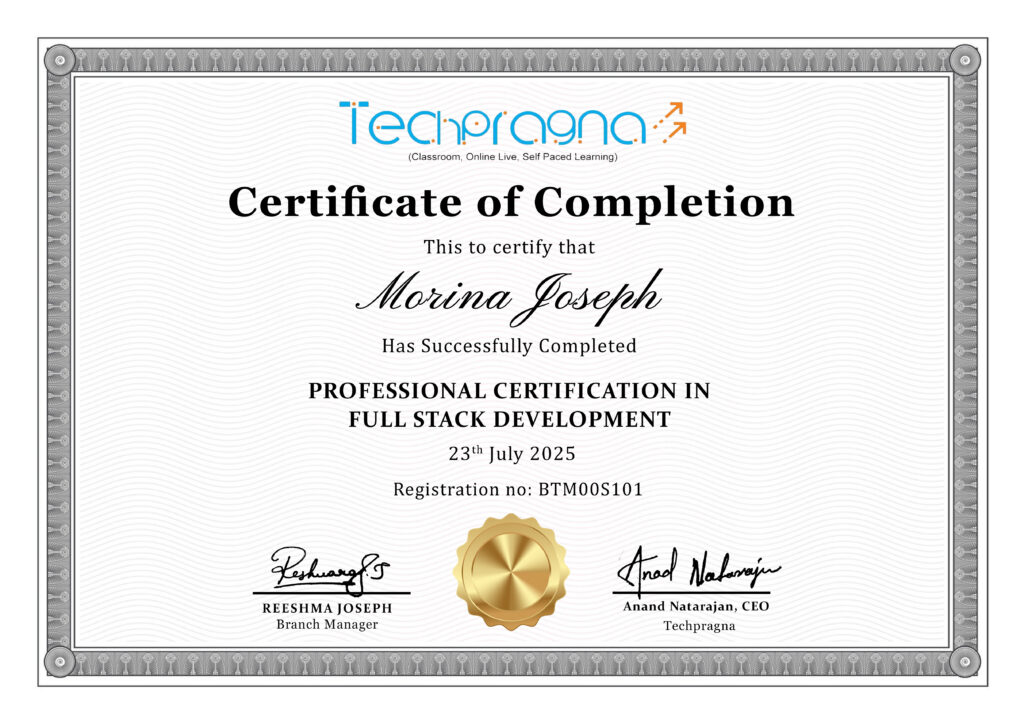
- Gain official proof of your expertise from a trusted institution, increasing your value in the eyes of employers and clients.
- Stand out in competitive job markets and unlock better job roles, promotions, or freelance opportunities.
- Certifications ensure your skills are aligned with current industry standards, making you job-ready from day one.
- Completing a certified course strengthens your belief in your capabilities and readiness to tackle real-world challenges.
- Join a professional community, gain access to hiring managers, and receive support from placement partners and mentors.
Data Analytics Projects Covered
Data Analytics Projects Covered


Land Your Dream Job Our Alumni
Advance Digital Marketing Training FAQs
What is Digital Marketing?
Digital marketing is the process of promoting products or services through online channels like search engines, social media, email, and websites to reach and engage targeted audiences effectively.
What topics will I learn in this course?
You’ll master SEO, Google Ads, Social Media Marketing, Content Marketing, Email Marketing, Analytics, Branding, and Marketing Automation—covering both organic and paid strategies to boost business growth
Will I get a certificate after completion?
Yes, upon successfully completing the course, you’ll receive an industry-recognized Digital Marketing Certificate that validates your skills and enhances your career opportunities.
What’s the difference between SEO and SEM?
SEO (Search Engine Optimization) focuses on improving website visibility organically, while SEM (Search Engine Marketing) uses paid advertising like Google Ads to increase visibility and drive traffic instantly.
Is this course available online or offline?
Yes, our digital marketing training is available in both online and offline formats. You can choose flexible learning options based on your schedule and location.
Is this course available online or offline?
Techpragna are offered in both online and offline
What career opportunities can I pursue after this course?
After completing the training, you can work as an SEO Specialist, Social Media Manager, PPC Expert, Content Marketer, or Digital Marketing Strategist in startups, agencies, or corporate environments
UI/UX Design Training FAQs
What is UI/UX Design?
UI/UX Design focuses on creating digital products that are visually appealing, easy to use, and centered around user needs. It combines user research, interface design, and usability testing to deliver seamless experiences.
What topics will I learn in this course?
You’ll master User Research, Wireframing, Prototyping, UI Design, Interaction Design, Usability Testing, Design Thinking, and Portfolio Building using tools like Figma, Adobe XD, Miro, and Zeplin.
Will I get a certificate after completion?
Yes! Upon successful completion of the training, you’ll receive an industry-recognized UI/UX Design Certificate to showcase your expertise and boost your career opportunities
What’s the difference between UI and UX?
UI (User Interface) focuses on the visual and interactive elements of a product, while UX (User Experience) emphasizes the overall usability, functionality, and satisfaction of the user journey.
Is this course available online or offline?
Yes, our digital marketing training is available in both online and offline formats. You can choose flexible learning options based on your schedule and location.
What career opportunities can I pursue after this course?
After completion, you can build a career as a UI/UX Designer, Product Designer, Interaction Designer, UX Researcher, or Visual Designer in startups, design agencies, and tech companies
What Our Learners Have To Say

Explore the Latest Trending Courses
Explore the Latest Trending Courses
Software Testing
- Online/Offline
- 6 Months
- Professional Level Certification
- Projects and Case Study
Data Science
- Online/Offline
- 6 Months
- Professional Level Certification
- Projects and Case Study

Network Engineering
- Online/Offline
- 6 Months
- Professional Level Certification
- Projects and Case Study

Cyber Security
- Online/Offline
- 6 Months
- Professional Level Certification
- Projects and Case Study